Short Answer
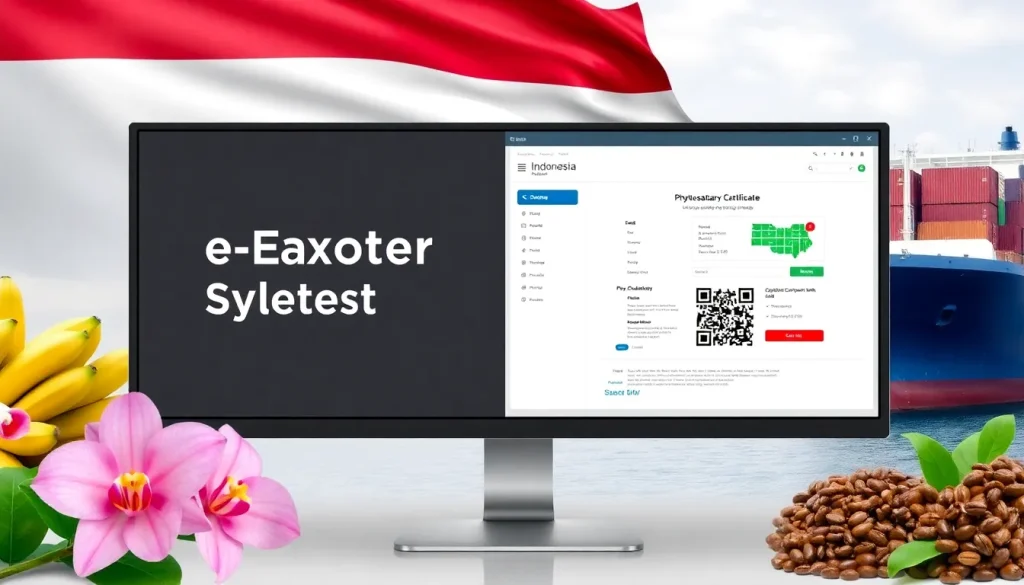
Indonesia has become a major gateway for tropical plant commodities, but exporting these goods requires strict compliance with phytosanitary rules. The government’s electronic Export System (e‑EXS) streamlines the application for phytosanitary certificates, customs clearance, and shipment tracking. This guide walks exporters, importers, customs brokers, freight forwarders, and agriculture students through every stage of the e‑EXS workflow, highlighting common pitfalls and providing a printable checklist.
Overview
The e‑Export System (e‑EXS) is an online portal managed by the Indonesian Ministry of Agriculture’s Plant Quarantine Service (PQS). It integrates three core functions:
- Submission of the Phytosanitary Certificate (PC) application.
- Electronic review and approval by the National Plant Protection Organization (NPPO) Indonesia.
- Generation of a QR‑coded certificate that can be verified by Indonesian customs and the importing country.
e‑EXS replaced the paper‑based “Form 01” system in 2021, reducing processing time from up to 15 days to an average of 2‑3 days for compliant shipments.
Why it matters (real stakes for exporters/importers)
Failure to obtain a valid phytosanitary certificate can result in:
- Immediate rejection or quarantine of the consignment at the port of entry.
- Financial loss from repackaging, treatment, or disposal.
- Loss of market reputation and potential suspension of export privileges.
For importers, an invalid PC may trigger import bans under the WTO SPS Agreement, jeopardizing supply chains that depend on timely delivery of fresh fruits, ornamental plants, or seeds.
How it works
e‑EXS follows a four‑stage workflow:
- User registration: Create a corporate account linked to your business tax ID (NPWP).
- Application submission: Upload shipment details, commodity codes, and supporting documents.
- Inspection & certification: PQS inspectors verify the consignment on‑site or via remote surveillance.
- Certificate issuance & customs clearance: The system issues a digital PC with a QR code, which customs uses to release the cargo.
Each stage generates an audit‑trail log, ensuring traceability for both the exporter and the importing authority.
Regulatory authority & contact
The NPPO Indonesia, operating under the Ministry of Agriculture, is the sole authority for phytosanitary matters. Key contacts:
| Agency | Phone | Website | |
|---|---|---|---|
| Plant Quarantine Service (PQS) | +62‑21‑381‑1234 | pqs@pertanian.go.id | pqs.pertanian.go.id |
| e‑EXS Help Desk | +62‑21‑381‑5678 | eexs@pertanian.go.id | eexs.pertanian.go.id |
For urgent matters, the NPPO operates a 24‑hour hotline during peak export seasons (January–March and August–October).
Import/export procedure
Below is a condensed flowchart of the export process, from farm to foreign port:
- Pre‑export phytosanitary inspection at the farm or packing house.
- Generate a Proforma Export Declaration in the customs system (BC 1.1).
- Log into e‑EXS and create a new “Export Request”.
- Attach required documents (see next section).
- Schedule an on‑site inspection; the inspector uploads the inspection report.
- Receive the digital PC (PDF + QR code) via e‑mail.
- Present the QR code to Indonesian customs for cargo release.
- Submit the PC copy to the importing country’s NPPO for verification.
Required documents
All uploads must be in PDF or high‑resolution JPG (minimum 300 dpi). Missing or illegible files are the most common cause of delay.
| Document | Purpose | Typical format |
|---|---|---|
| Export Request Form (e‑EXS) | Official request for a PC | Online entry |
| Commercial Invoice | Customs valuation | |
| Packing List | Identify each container | |
| Phytosanitary Inspection Report | Evidence of pest‑free status | PDF signed by inspector |
| Origin Certificate (if required) | Confirm source country | |
| Import Permit of the destination country | Show compliance with the buyer’s regulations |
Step‑by‑step checklist (How‑to trigger)
Use this printable checklist before you click “Submit” in e‑EXS:
- Verify that your company is registered in the National Business Registry (NIB) and linked to an active NPWP.
- Confirm the HS‑6 commodity code matches the plant product (e.g., 0806 for fresh bananas).
- Gather all required documents; ensure each file is readable and signed where needed.
- Log into e‑EXS and select “Create New Export Request”.
- Enter shipment details: quantity, weight, packaging type, and destination port.
- Upload documents in the order listed in the “Required Documents” table.
- Schedule the on‑site inspection; provide the inspector with a copy of the phytosanitary inspection report.
- Pay the electronic processing fee (IDR 150 000 per certificate).
- Wait for the “Status: Approved” notification; download the QR‑coded PC.
- Present the QR code to customs at the departure airport or seaport.
Common mistakes & rejection reasons
Even seasoned exporters stumble over a few recurring issues:
- Incorrect HS code: Triggers automatic rejection by customs.
- Illegible signatures on the inspection report – the system flags the file.
- Missing treatment certificates for regulated pests (e.g., fruit flies).
- Late payment of the e‑EXS fee – the request is put on hold.
- Failure to update the NPWP after a corporate name change.
Addressing these points before submission can cut processing time by up to 50 %.
Real‑world example / scenario
Company Green Tropics Ltd. exported 20 metric tons of fresh rambutan from Java to Dubai in September 2023. Their initial e‑EXS application was rejected because the packing list omitted the container seal numbers. After correcting the document and resubmitting, the PC was issued within 48 hours. The shipment cleared Dubai customs without inspection, saving an estimated US$12 000 in demurrage fees.
This case illustrates how a single missing data field can cascade into costly delays, underscoring the value of the checklist above.
Requirements & standards (cited sources)
Indonesia’s e‑EXS operates under the following international and national standards:
“The issuance of phytosanitary certificates shall be in conformity with ISPM 15, ISPM 36, and the International Plant Protection Convention (IPPC) standards, as adopted by the NPPO of Indonesia.” – Ministerial Regulation No. 12/2020
Key references:
- International Plant Protection Convention (IPPC) – ippc.int
- NPPO Indonesia – Phytosanitary Certificate Guidelines, 2022 edition.
- World Trade Organization SPS Agreement – Annex 1, 1995.
Compliance with these standards guarantees that the exported commodity meets the importing country’s phytosanitary import requirements, reducing the risk of quarantine rejections.
Conclusion
Indonesia’s e‑Export System (e‑EXS) offers a transparent, electronic pathway for obtaining phytosanitary certificates on plant products. By registering early, preparing complete documentation, and following the step‑by‑step checklist, exporters can avoid common pitfalls and accelerate market entry. Staying current with NPPO regulations and international standards ensures that your shipments move smoothly from farm to foreign port, protecting both your bottom line and the global plant‑health ecosystem.
FAQ
What is the minimum time needed to obtain a phytosanitary certificate through e‑EXS?
If all documents are complete and the on‑site inspection is scheduled promptly, the system can issue a digital PC within 2‑3 business days after the inspector uploads the report.
Can I submit a bulk export request for multiple plant commodities in one e‑EXS application?
Each commodity must have its own export request because HS codes, treatment requirements, and inspection reports differ. Multiple requests can be submitted sequentially in the same session.
What should I do if my application is rejected for a missing document?
Log back into e‑EXS, upload the missing file, and click “Resubmit”. The system will re‑evaluate the application within the same 2‑3 day window, provided the fee has been paid.




Leave a Reply