Short Answer
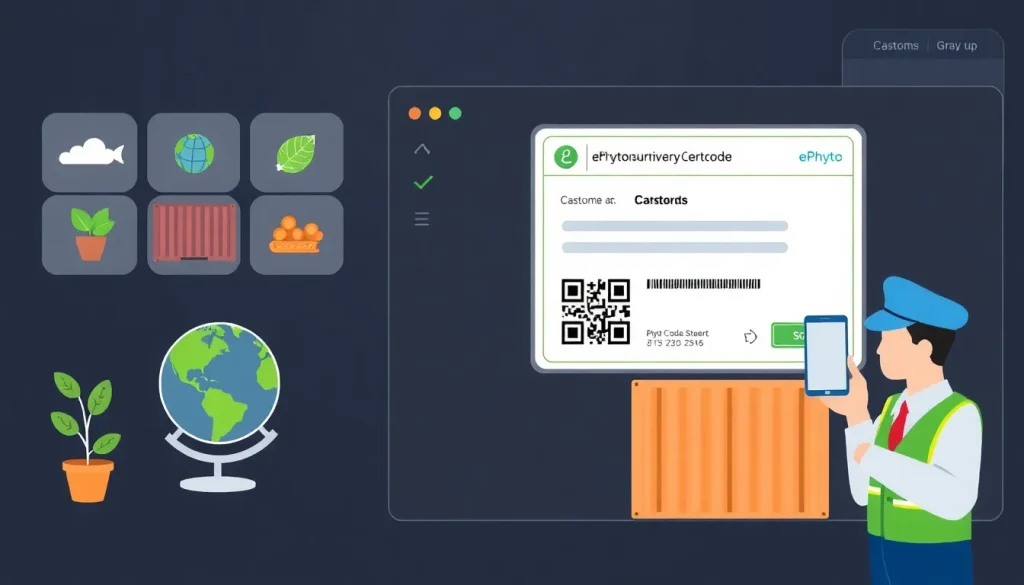
ePhyto is the electronic platform that replaces paper phytosanitary certificates for most plant‑based commodities moving across international borders. By digitising the application, issuance and verification processes, ePhyto speeds up clearance, reduces fraud, and aligns national systems with the International Plant Protection Convention (IPPC) standards. This article explains, in plain English, how to apply for an ePhyto certificate, which documents you need, common reasons for rejection, and what to expect once the certificate is issued.
Overview
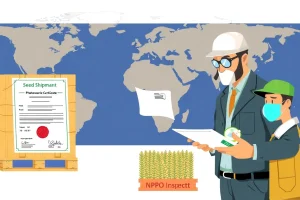
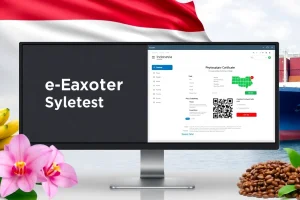
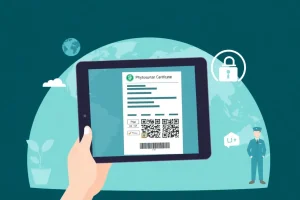
ePhyto is a web‑based portal operated by the National Plant Protection Organization (NPPO) of the exporting country. Users – typically exporters, freight forwarders or customs brokers – submit a request that includes commodity details, origin, destination, and any required phytosanitary treatments. The NPPO validates the data, attaches a digital signature, and generates a QR‑code‑linked certificate that can be accessed by the importing authority in real time.
- Platform: ePhyto.org
- Supported formats: XML, JSON, and PDF with QR code.
- Coverage: Over 150 countries, covering most regulated plant commodities.
Why it Matters (Real Stakes for Exporters/Importers)
Failure to obtain a valid ePhyto certificate can lead to:
- Shipment delays at the border while authorities request missing paperwork.
- Financial loss from rejected consignments, storage fees, or re‑inspection costs.
- Regulatory penalties ranging from fines to suspension of export privileges.
- Loss of market trust if buyers repeatedly receive non‑compliant shipments.
Conversely, a correctly issued ePhyto certificate demonstrates compliance with the IPPC’s International Standards for Phytosanitary Measures (ISPM) and can be instantly verified by the importing NPPO, facilitating smoother trade.
How it Works
The ePhyto workflow consists of four core stages:
| Stage | Description |
|---|---|
| 1. Registration | Exporter or broker registers an account on the ePhyto portal and obtains a digital signature from the NPPO. |
| 2. Data Entry | Enter commodity code (HS), scientific name, quantity, origin, treatment details, and destination. |
| 3. Validation & Issuance | NPPO reviews the request, verifies treatment compliance, and issues a digitally signed certificate with a QR code. |
| 4. Verification | Importing authority scans the QR code or accesses the certificate via the ePhyto API to confirm authenticity. |
All communications are encrypted, and audit trails are stored for at least five years, satisfying WTO SPS Agreement record‑keeping requirements.
Regulatory Authority & Contact
The ePhyto system is administered by the NPPO of each exporting country. In the United States, the responsible body is the Animal and Plant Health Inspection Service (APHIS) under the USDA. For the European Union, it is the Plant Health Directorate of the European Commission.
- US Contact: APHIS Plant Protection and Quarantine, ephyto@aphis.usda.gov
- EU Contact: European Commission – Plant Health, ephyto@ec.europa.eu
- Global Helpdesk: ePhyto Contact Page
Required Documents
Before starting an ePhyto application, gather the following items:
- Commercial invoice showing HS code, quantity, and value.
- Phytosanitary inspection report signed by a certified inspector.
- Treatment certificates (e.g., fumigation, heat treatment) if required for the commodity.
- Origin proof such as a packing list or farm declaration.
- Digital signature issued by the NPPO (often provided after account registration).
All documents must be uploaded in PDF format, and the system will automatically check for missing fields.
Step‑by‑Step Checklist (How‑to Trigger)
Use this checklist to ensure a successful submission:
- Register on the ePhyto portal and obtain your digital certificate.
- Verify that the commodity is ePhyto‑eligible (consult the NPPO’s commodity list).
- Collect all required documents listed above.
- Enter shipment details accurately – double‑check HS code and scientific name.
- Attach treatment certificates and inspection reports.
- Submit the application and note the reference number.
- Monitor the status dashboard; respond promptly to any NPPO queries.
- Once approved, download the PDF certificate and QR code.
- Provide the QR code to the carrier and the importing authority.
Typical processing time ranges from 24 hours for low‑risk commodities to 72 hours for high‑risk items.
Common Mistakes & Rejection Reasons
Even experienced exporters encounter avoidable errors. The most frequent causes of rejection are:
- Incorrect scientific name – misspellings or outdated taxonomy trigger a validation error.
- Missing treatment data – the system requires a valid treatment code for regulated pests.
- HS code mismatch – using an unrelated tariff code leads to manual review.
- Expired digital signature – signatures must be renewed annually.
- Non‑compliant packaging description – certain wood packaging materials need ISPM 15 certification.
When a rejection occurs, the NPPO sends a detailed notice via the portal. Correct the issue and resubmit; most corrections are processed within one business day.
Real‑World Example/Scenario
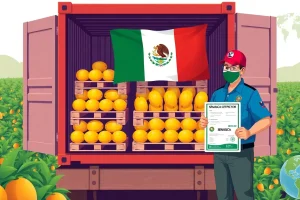
Scenario: A U.S. exporter ships fresh mangoes to Kenya. The commodity requires a post‑harvest heat treatment (HT) and a phytosanitary inspection.
- The exporter registers on the USDA ePhyto system and obtains a digital signature.
- They upload the commercial invoice, the HT certificate, and the APHIS inspection report.
- During data entry, they mistakenly enter the scientific name as Mangifera indicae instead of Mangifera indica.
- The system flags the name as invalid, and the NPPO rejects the request, citing “Scientific name not recognised”.
- The exporter corrects the typo, re‑uploads the documents, and resubmits.
- The certificate is issued within 36 hours, and the QR code is scanned by Kenyan authorities, allowing immediate clearance.
This example illustrates how a minor data entry error can cause a costly delay, emphasizing the need for meticulous verification before submission.
Requirements & Standards
“All ePhyto certificates shall be issued in accordance with IPPC’s International Standards for Phytosanitary Measures (ISPM 1) and the specific NPPO’s national legislation.” – IPPC, 2023.
The primary standards governing ePhyto are:
- ISPM 1 – General principles for phytosanitary certification.
- ISPM 12 – Guidelines for electronic certificates and data exchange.
- National Plant Protection Organization (NPPO) regulations – Each country may add supplemental requirements, such as mandatory treatment codes or specific packaging standards.
Compliance with these standards ensures that the ePhyto certificate is internationally recognised and can be verified through the WTO SPS Information Management System.
Conclusion
Applying for an ePhyto certificate is now a routine part of global plant‑health trade, but success depends on accurate data, proper documentation, and awareness of common pitfalls. By following the step‑by‑step checklist, staying current with IPPC standards, and maintaining open communication with the NPPO, exporters, importers, customs brokers and freight forwarders can minimise delays and protect their supply chains.
| Quick Fact | Detail |
|---|---|
| ePhyto coverage | Over 150 importing countries (2024) |
| Average issuance time | 24‑72 hours depending on risk level |
| Digital signature validity | 12 months, renewable online |
| Key standards | IPPC ISPM 1, ISPM 12, WTO SPS Agreement |
| Common rejection cause | Incorrect scientific name or missing treatment data |
FAQ
Can I submit an ePhyto application for any commodity?
Only commodities listed as ePhyto‑eligible by the exporting NPPO can be processed electronically. Check the NPPO’s commodity list before starting an application.
What happens if my ePhyto certificate is rejected?
The NPPO will send a detailed rejection notice through the portal. Correct the identified issue—such as a missing treatment certificate—and resubmit. Most corrections are processed within one business day.
Is a paper phytosanitary certificate still required after ePhyto approval?
No. The digital certificate, accessible via QR code or API, replaces the paper document for countries that accept ePhyto. However, some importing authorities may still request a printed copy for their records.




Leave a Reply