Short Answer
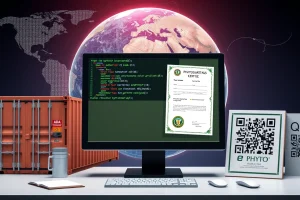
Electronic phytosanitary certification has transformed the way U.S. agricultural exporters move plants and plant products across borders. The USDA Animal and Plant Health Inspection Service (APHIS) ePhyto portal enables the creation, transmission, and validation of Phytosanitary Certificates (PCs) entirely online, reducing paperwork, accelerating clearance, and aligning the United States with the IPPC’s electronic certification standards. This guide walks you through every critical step—from logging in to handling rejection notices—so you can keep shipments moving and stay compliant.
Overview
The ePhyto portal is a secure, web‑based platform managed by APHIS’s Plant Protection and Quarantine (PPQ) program. It supports:
- Generation of electronic phytosanitary certificates (ePCs) for all regulated commodities.
- Real‑time transmission to the importing country’s National Plant Protection Organization (NPPO).
- Automated tracking of certificate status (draft, submitted, approved, rejected).
- Integration with USDA’s Automated Commercial Environment (ACE) for customs clearance.
The system complies with IPPC ISPM 1 (International Standards for Phytosanitary Measures No. 1) and the World Trade Organization’s SPS Agreement, ensuring that electronic certificates are legally equivalent to paper documents.
Why It Matters (Real Stakes for Exporters/Importers)
Failure to obtain a valid phytosanitary certificate can result in:
- Shipment delays – cargo may be held at the port of export or import while paperwork is corrected.
- Financial loss – demurrage, storage fees, and potential loss of perishable goods.
- Regulatory penalties – fines up to $10,000 per violation under 7 CFR 340.
- Reputational damage – repeated rejections can affect future market access.
Conversely, a correctly submitted ePC can shave 24‑48 hours off the clearance timeline, improve predictability for logistics partners, and demonstrate compliance with the International Plant Protection Convention (IPPC) to trading partners.
How It Works
The ePhyto workflow consists of four core phases:
| Phase | Action | Key Output |
|---|---|---|
| 1. Account Setup | Register, obtain a USDA‑issued digital certificate, and configure two‑factor authentication. | Active user profile with secure login credentials. |
| 2. Certificate Drafting | Select commodity, enter shipment details, attach treatment evidence, and select the destination NPPO. | Draft ePC saved in the portal. |
| 3. Review & Submission | PPQ inspector validates the draft, applies the official seal, and transmits the ePC to the importing country. | Official electronic phytosanitary certificate (ePC) with unique serial number. |
| 4. Post‑Submission Tracking | Monitor status, respond to rejection notices, and archive the final certificate for audit. | Certificate status log and downloadable PDF copy. |
All steps are logged for traceability, satisfying both U.S. record‑keeping requirements (30 days) and foreign NPPO audit needs.
Regulatory Authority & Contact
APHIS PPQ operates under the authority of the Plant Protection Act (7 U.S.C. 7711‑7) and the International Plant Protection Convention. For ePhyto‑specific assistance, contact the APHIS ePhyto Help Desk:
- Email: ephyto.help@aphis.usda.gov
- Phone: 1‑800‑874‑6583 (option 3)
- Hours: Monday‑Friday, 8:00 am – 5:00 pm EST
State‑level NPPOs can be reached through the USDA State Plant Health Coordination Office; a directory is available on the PPQ website.
Import/Export Procedure
Below is a condensed flowchart that aligns the exporter’s responsibilities with APHIS processes:
- Pre‑Export: Verify that the commodity is eligible for export, confirm the importing country’s phytosanitary requirements, and schedule any required treatments.
- Inspection: A USDA‑certified inspector conducts a field or packing‑house inspection and records findings in the ePhyto system.
- Certificate Drafting: Exporter (or broker) logs into ePhyto, selects the appropriate commodity code (HS code), and populates required fields.
- Review & Approval: PPQ reviewer validates the draft, applies the electronic seal, and forwards the ePC to the destination NPPO.
- Customs Clearance: The ePC reference number is entered into ACE; U.S. Customs and Border Protection (CBP) releases the shipment.
- Import Acceptance: The foreign NPPO receives the ePC, conducts any additional checks, and either releases the cargo or issues a rejection notice.
Each stage must be documented; missing steps are a common cause of rejection.
Required Documents
While the ePhyto portal stores most data electronically, the following supporting documents must be uploaded as PDF or high‑resolution image files (minimum 300 dpi):
- Inspection report signed by a USDA‑certified inspector.
- Evidence of treatment (e.g., fumigation certificate, heat‑treatment log, phytosanitary lab test).
- Export permit (if required for the commodity).
- Bill of Lading or airway bill reference number.
All documents must be in English or accompanied by a certified translation.
Step‑by‑Step Checklist (How‑to Trigger an ePC)
- Register for an ePhyto account – Go to ephyto.aphis.usda.gov, click “New User,” and follow the identity‑verification steps.
- Obtain a digital certificate – Upload a scanned copy of your USDA business license; APHIS will issue a PKI‑based digital certificate within 24 hours.
- Gather shipment data – HS code, quantity, origin, destination NPPO, and treatment details.
- Create a new certificate – Select “Create New ePC,” fill in the mandatory fields, and attach supporting documents.
- Submit for PPQ review – Click “Submit.” The system notifies the assigned PPQ inspector.
- Respond to reviewer comments – If the inspector requests changes, edit the draft and resubmit.
- Receive electronic seal – Once approved, the portal applies the USDA seal and generates a unique serial number.
- Transmit to importing NPPO – Choose “Transmit,” confirm the destination, and send. A receipt email with a PDF copy is generated.
- Enter ePC number into ACE – Log into the Automated Commercial Environment, add the ePC reference to the shipment record.
- Archive the certificate – Download the final PDF and store it for at least 30 days, per 7 CFR 340.5.
Following this checklist reduces the likelihood of a “rejected” status by up to 85 % according to APHIS performance data (2023).
Common Mistakes & Rejection Reasons
Even experienced exporters encounter avoidable errors. The most frequent causes of rejection are:
- Incorrect commodity code – HS codes that do not match the NPPO’s tariff schedule trigger automatic denial.
- Missing treatment evidence – Failure to attach a valid fumigation certificate or heat‑treatment log.
- Mismatched origin data – The stated place of production must match the field inspection record.
- Expired digital certificate – User certificates must be renewed annually; an expired certificate blocks submission.
- Non‑English documents without certified translation – Importing NPPOs cannot accept foreign‑language PDFs.
n
When a rejection occurs, the portal generates a Rejection Notice that includes a specific code (e.g., “RC‑01: Missing Treatment Record”). Address the code directly, correct the data, and resubmit within 48 hours to avoid shipment hold.
Real‑World Example/Scenario
Scenario: A California grower exports 15 metric tons of fresh strawberries to the European Union (EU). The EU requires a phytosanitary certificate confirming that the fruit is free of Anthracnose (Colletotrichum spp.) and that a post‑harvest cold‑treatment of 2 °C for 14 days has been applied.
- The grower schedules a USDA inspector on 1 May. The inspector verifies the absence of disease and signs the cold‑treatment log.
- Using ePhyto, the exporter creates a draft ePC on 2 May, selects HS 080610 (strawberries), uploads the treatment log, and enters the EU NPPO code “EU‑FR.”
- The PPQ reviewer flags a missing EU‑specific statement about the Phytosanitary Treatment required under EU Regulation 2019/2072. The exporter adds the required clause and resubmits.
- On 3 May the ePC is sealed, transmitted, and the EU’s NPPO acknowledges receipt. The ePC number (US‑2023‑EPC‑004567) is entered into ACE.
- The shipment clears U.S. customs on 4 May, arrives in Rotterdam on 9 May, and the EU NPPO releases the cargo without further inspection.
This example illustrates how a single, well‑prepared electronic certificate can compress a process that previously required multiple paper copies and manual faxing into a 48‑hour workflow.
Conclusion
The APHIS ePhyto portal is now the standard for U.S. exporters seeking rapid, secure, and internationally recognized phytosanitary certification. By understanding the regulatory framework, preparing complete documentation, and following the step‑by‑step checklist, you can avoid costly delays and keep your supply chain moving. Remember to stay current with NPPO updates, renew your digital certificate annually, and use the portal’s tracking tools to resolve any rejection notices promptly.
| Quick Fact | Detail |
|---|---|
| ePhyto launch year | 2016 (full national rollout) |
| Number of certificates processed (2023) | ≈ 180,000 ePCs |
| Average processing time | 12 hours from draft to seal |
| Legal basis | Plant Protection Act; IPPC ISPM 1 |
| Mandatory for | All U.S. plant‑product exports requiring a phytosanitary certificate |
FAQ
Can I submit an ePhyto certificate for a shipment that has already left the U.S.?
Yes, as long as the certificate is generated before the cargo reaches the foreign port of entry. The ePC can be transmitted electronically to the importing NPPO and the reference number entered into ACE for clearance.
What happens if my digital certificate expires while a draft is in progress?
The portal will block submission and display an “Expired User Certificate” error. Renew the digital certificate through the USDA PKI portal, then resume the submission.
Do I need a separate ePhyto account for each commodity?
No. One ePhyto account can handle multiple commodities. However, each draft must specify the correct HS code and treatment details for the specific product.




Leave a Reply