Short Answer
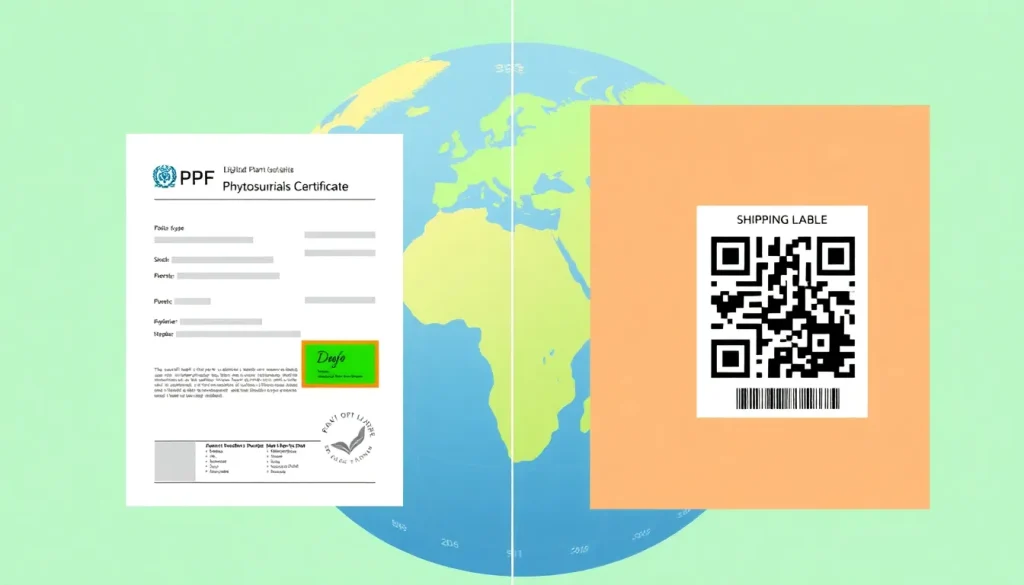
In an increasingly digital world, the plant‑health community is shifting from paper‑based phytosanitary certificates to electronic formats. Two competing standards have emerged: the traditional eSignature (electronic signature attached to a PDF or XML file) and the newer QR Code (machine‑readable barcode that links to a secure certificate record). Both aim to speed up cross‑border trade while preserving the integrity of the certificate, yet they differ in technology, legal acceptance, and operational impact. This pillar article breaks down the two standards, explains why the choice matters, and equips exporters, importers, customs brokers, freight forwarders, and agriculture students with the knowledge needed for fast, accurate compliance.
Overview
Phytosanitary certificates (PCs) certify that a consignment meets the phytosanitary requirements of the importing country. Digital signatures replace the handwritten signature of the National Plant Protection Organization (NPPO) with a cryptographic token. Two formats dominate the market:
- eSignature: A PKI‑based digital signature embedded directly in a PDF, XML, or JSON document. The signature is validated against a public key infrastructure managed by the issuing NPPO.
- QR Code: A two‑dimensional barcode printed on the paper certificate or displayed on a screen. Scanning the code retrieves the certificate from a trusted server, where the NPPO’s digital signature is stored.
Both methods satisfy the International Plant Protection Convention (IPPC) requirement that a phytosanitary certificate be authentic, tamper‑evident, and verifiable (IPPC Standard ISPM 15, Annex B). The choice often hinges on national legislation, existing IT infrastructure, and the speed of customs clearance.
Why It Matters (Real Stakes for Exporters/Importers)
Choosing the appropriate digital signature standard can affect:
- Time to market: QR codes can be scanned instantly at the border, reducing inspection time by up to 30 % in pilot studies (FAO, 2023).
- Risk of rejection: An improperly formatted eSignature may be flagged as “non‑conforming signature” leading to delays or shipment return.
- Cost: Implementing a PKI for eSignatures may require software licences and training, while QR codes rely on a web service that may incur subscription fees.
- Legal acceptance: Some jurisdictions (e.g., the EU) have explicitly recognized eSignatures under the eIDAS regulation, whereas others (e.g., Brazil) still mandate QR‑code verification for plant health documents.
Understanding these stakes helps businesses make data‑driven decisions that protect revenue and reputation.
How It Works
Both standards follow a three‑step process: creation, authentication, and verification.
| Step | eSignature | QR Code |
|---|---|---|
| Creation | Exporting NPPO generates a PC in XML, signs it with its private key, and embeds the signature in the document. | NPPO uploads the PC to a secure portal, the system generates a unique QR code that points to the stored record. |
| Authentication | The document carries the signer’s digital certificate, which can be validated against the NPPO’s public key repository. | The QR code contains a hash of the certificate; scanning the code triggers a server‑side check of the hash against the stored record. |
| Verification | Customs officials open the PDF/XML, run a verification tool (e.g., Adobe Acrobat, XMLSec) and see a green check if the signature is valid. | Customs staff use a handheld scanner or smartphone app; the app displays the certificate details and a “valid/invalid” status. |
Both methods are designed to be tamper‑evident: any alteration after signing invalidates the cryptographic hash.
Regulatory Authority & Contact
The primary international authority is the International Plant Protection Convention (IPPC), which issues the ISPM standards governing electronic phytosanitary certificates. National implementation is the responsibility of each National Plant Protection Organization (NPPO). Below are the key contacts for the two most widely adopted frameworks:
- eSignature (IPPC‑ePC):
World Phytosanitary Organization (WPO) – ePC@ippc.int - QR Code (IPPC‑QRPC):
FAO Plant Health Division – qrpc@fao.org
Exporters should also maintain a direct line with the NPPO of the exporting country, as local procedures (e.g., certificate issuance portals) vary.
Requirements & Standards (Cite Primary Source)
Both digital‑signature options must comply with the IPPC’s International Standard for Phytosanitary Certificates (ISPM 15, Annex B) and the Electronic Phytosanitary Certificate Standard (ISPM 11). Key technical requirements include:
- Use of a public‑key infrastructure (PKI) that meets ISO/IEC 18033‑2 for asymmetric encryption.
- Certificate revocation lists (CRL) or Online Certificate Status Protocol (OCSP) must be accessible to customs authorities.
- QR codes must be generated according to ISO/IEC 18004:2015 (QR Code Model 2) with error correction level M or higher.
- All data fields required by the IPPC template (e.g., consignment description, origin, pest‐free status) must be present and unchanged after signing.
“The electronic phytosanitary certificate shall be signed with a qualified electronic signature that ensures the integrity and origin of the data. The signature shall be verifiable by the importing NPPO using the public key published by the issuing NPPO.” – IPPC ISPM 11, 2022.
Failure to meet any of these criteria can lead to automatic rejection under the importing country’s customs regulations.
Step‑by‑Step Checklist (How‑to Trigger)
Below is a practical checklist for exporters preparing a digitally signed phytosanitary certificate.
- Confirm the importing country’s preferred format (eSignature or QR Code) via the NPPO portal or trade agreement.
- Register your company in the issuing NPPO’s electronic system (e.g., ePC portal, QRPC portal).
- Gather required data – commodity code, scientific name, treatment details, and any pest‑free declarations.
- Generate the certificate using the NPPO’s template. For eSignature, download the XML/PDF; for QR, obtain the QR image.
- Apply the digital signature:
- eSignature – sign with the NPPO‑issued digital certificate using approved software.
- QR Code – upload the certificate; the system returns a QR image linked to the stored record.
- Validate the signature locally before export. Use the NPPO’s verification tool or a generic PKI validator.
- Attach the certificate to the shipment:
- eSignature – print the signed PDF on the packing list or attach electronically to the bill of lading.
- QR Code – affix the printed QR label to the cargo manifest or include it in the electronic data interchange (EDI).
- Notify the importer and provide the certificate reference number or QR scan link.
- Keep a backup copy for at least 12 months, as required by most NPPOs.
Following this checklist reduces the likelihood of rejection and speeds up customs clearance.
Common Mistakes & Rejection Reasons
Even experienced exporters encounter pitfalls. The most frequent errors are:
- Missing or mismatched public key: Customs cannot verify the signature if the NPPO’s public key is outdated or not published.
- Altered certificate after signing: Adding a note or changing a field invalidates the cryptographic hash.
- Improper QR code size or resolution: Scanners fail to read codes printed at < 2 cm or with low contrast.
- Using the wrong certificate version: Some NPPOs have transitioned to a newer XML schema; using the legacy format triggers a “non‑conforming document” rejection.
- Failure to include mandatory data fields: Omission of treatment details or pest‑free statements leads to “incomplete certificate” findings.
Customs officials typically cite the specific regulation in the rejection notice, e.g., “Non‑conforming electronic signature – ISPM 11, Clause 4.2.” Prompt correction and resubmission are essential to avoid costly demurrage.
Real‑World Example/Scenario
Scenario: A U.S. apple exporter ships a 20‑ton consignment to the EU. The EU requires an eSignature‑based phytosanitary certificate under the eIDAS‑aligned framework.
- The exporter logs into the USDA‑APHIS ePC portal, enters the shipment details, and selects “Export to EU – eSignature required.”
- The system generates an XML certificate and automatically signs it with the USDA’s PKI certificate.
- The exporter downloads the signed PDF, runs the USDA verification tool (shows a green check), and attaches the PDF to the electronic export declaration.
- At the EU border, customs uses the EU’s ePC validation service, which confirms the signature against the USDA public key published on the IPPC website.
- Because the certificate matches the ISPM 11 requirements and includes the mandatory pest‑free declaration for Cydia pomonella, the consignment is cleared within 2 hours.
If the exporter had mistakenly printed a QR code instead of the eSignature, the EU system would have rejected the document as “unsupported digital format,” causing a 24‑hour delay and additional storage fees.
Conclusion
Both eSignature and QR‑code standards meet the IPPC’s core objective of providing a secure, verifiable phytosanitary certificate. The decisive factors are legal acceptance in the importing country, existing IT infrastructure, and the need for rapid border processing. By understanding how each system works, adhering to ISPM 11 requirements, and following a disciplined checklist, exporters and their logistics partners can minimize rejection risk and keep global plant‑health trade flowing smoothly.
FAQ
Can I use both eSignature and QR Code on the same shipment?
Yes, if the importing country accepts either format. However, only one version is required for verification; providing both can increase paperwork without added benefit.
What happens if the QR code cannot be scanned at the border?
Customs will request the underlying electronic certificate. If the exporter cannot provide a verifiable eSignature or a functional QR link, the shipment may be held or rejected.
Do I need a digital certificate for each export transaction?
No. The NPPO issues a single digital certificate to the exporter’s organization. That certificate is used to sign multiple phytosanitary certificates until it expires or is revoked.




Leave a Reply