Short Answer
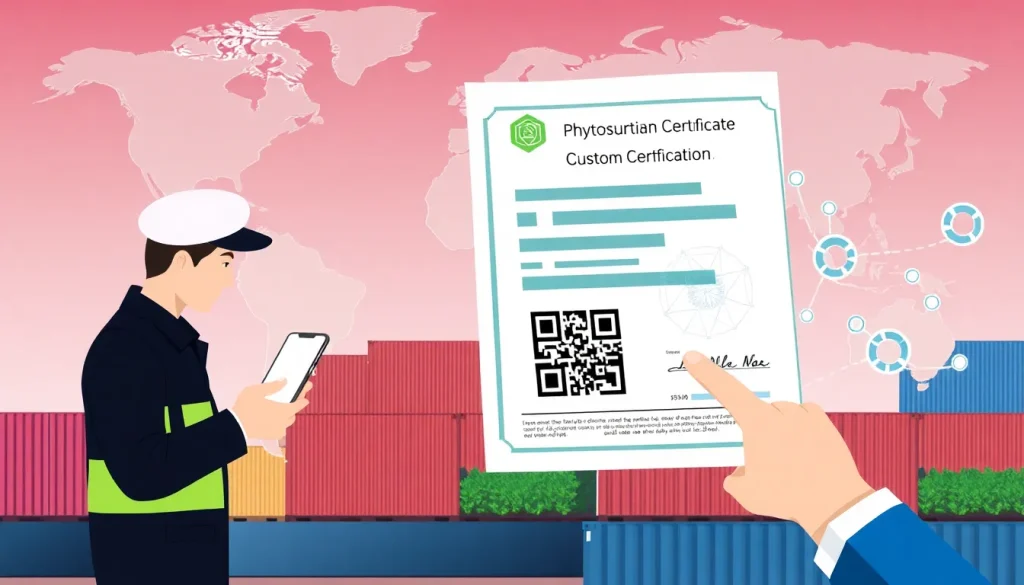
In an era where supply‑chain speed and security are paramount, QR (Quick Response) codes have emerged as a powerful tool for validating phytosanitary certificates (PCs). By embedding cryptographically signed data directly on the certificate, QR codes enable customs officials, freight forwarders, and importers to verify authenticity in seconds, reducing fraud, delays, and costly re‑inspections. This pillar article walks through the role of QR codes in authenticating phytosanitary certificates, from the underlying standards to practical implementation steps.
Overview
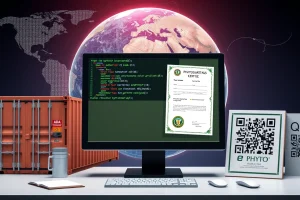
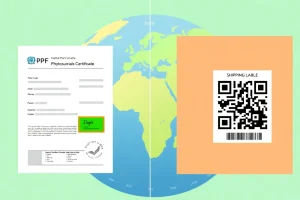
Phytosanitary certificates are official documents issued by a National Plant Protection Organization (NPPO) that certify a consignment meets the plant‑health requirements of the importing country. Traditionally, PCs are printed on paper and rely on signatures, stamps, and serial numbers for verification. QR codes add a digital layer that stores a hash of the certificate data, the issuing authority’s digital signature, and a link to an online validation service.
- Digital fingerprint: A unique hash generated from the certificate’s content.
- Public‑key signature: NPPO’s private key signs the hash; the public key is published for verification.
- Verification URL: When scanned, the QR redirects to the NPPO’s validation portal.
The International Plant Protection Convention (IPPC) has incorporated QR‑code guidance into ISPM 13 (Electronic Certification) and encourages member NPPOs to adopt the technology.
Why It Matters (Real Stakes for Exporters and Importers)
Delays at the border can cost thousands of dollars per shipment. Fraudulent or altered PCs are a leading cause of re‑inspection, quarantine, and even cargo rejection.
- Speed: Scanning a QR code takes less than five seconds, compared with manual visual checks that can take minutes.
- Security: Cryptographic signatures are extremely difficult to forge, protecting both the exporter’s reputation and the importing country’s biosecurity.
- Traceability: Each QR‑encoded PC is linked to a unique transaction ID, enabling real‑time tracking of compliance status.
- Cost reduction: Fewer physical inspections lower labor costs and reduce the risk of cargo damage during handling.
For exporters, a verified QR‑code can be the difference between on‑time delivery and a costly hold‑up. For importers, it provides confidence that the plant material complies with the destination’s pest‑free requirements.
How It Works
The QR‑code authentication workflow can be broken into three phases: creation, embedding, and verification.
| Phase | Key Activities | Stakeholders |
|---|---|---|
| Creation | Generate data hash → Sign with NPPO private key → Produce QR image | NPPO IT system |
| Embedding | Print QR on the paper PC or attach as a digital sticker; store the same data in the electronic PC (e‑PC) | Exporter / Freight forwarder |
| Verification | Scan QR → Retrieve hash & signature → Validate against NPPO public key → Display status (valid/expired/revoked) | Customs broker, importer, border officer |
Most modern smartphones and handheld scanners support QR reading natively. Many customs agencies provide a dedicated app that automatically logs the verification event for audit trails.
Regulatory Authority & Contact
The primary authority governing QR‑code use on phytosanitary certificates is the International Plant Protection Convention (IPPC), specifically:
- ISPM 13 – Electronic Certification: Provides the technical framework for digital signatures and QR integration.
- ISPM 14 – Digital Imaging and Data Transfer: Sets standards for image quality and data exchange formats.
National implementation is handled by each country’s NPPO. Below is a quick reference for the most common contacts:
| Region | NPPO | Contact Email | QR‑Code Support Page |
|---|---|---|---|
| North America | USDA APHIS | phytosanitary@aphis.usda.gov | https://www.aphis.usda.gov/qr-cert |
| Europe | EU Plant Health | phytosanitary@ec.europa.eu | https://ec.europa.eu/plant-health/qr |
| Asia‑Pacific | Australia Department of Agriculture | phytosanitary@agriculture.gov.au | https://www.agriculture.gov.au/qr |
Import/Export Procedure Involving QR‑Enabled PCs
Integrating QR codes does not replace the traditional paperwork; it augments it. The procedural flow is as follows:
- Pre‑shipment: Exporter requests a phytosanitary certificate from the NPPO.
- Certificate issuance: NPPO generates both a printed PC and a QR‑code, embedding the digital signature.
- Documentation handover: Exporter attaches the QR‑coded PC to the cargo manifest and provides a digital copy to the freight forwarder.
- Border presentation: Importer or customs broker presents the PC; the border officer scans the QR.
- Verification outcome: If the QR validates, the shipment proceeds. If not, the cargo may be held for manual review.
Most NPPOs now offer an online portal where exporters can download a PDF version of the QR‑enabled certificate, ensuring the same data is available even if the physical copy is damaged.
Requirements & Standards (Cite Primary Source: IPPC/NPPO)
“According to ISPM 13 (2021 Revision), a phytosanitary certificate shall include a machine‑readable QR code that contains a cryptographically signed hash of the certificate data. The QR code must be generated using the NPPO’s approved key pair and be scannable by devices conforming to ISO/IEC 18004.”
Key technical requirements include:
- QR version 4 or higher (minimum 33×33 modules) to accommodate the signature payload.
- Error correction level Q (25% redundancy) to ensure readability under wear.
- Use of SHA‑256 for hashing and RSA‑2048 (or ECC‑256) for digital signatures.
- Public key distribution via the NPPO’s trusted repository (often a .pem file on the official website).
Compliance is verified during the customs inspection; failure to present a QR‑code or presenting one that does not meet the above standards is treated as a documentation deficiency.
Step‑by‑Step Checklist (How‑to Trigger QR Verification)
Exporters and freight forwarders can follow this concise checklist to guarantee a smooth QR‑code verification at the border:
- Confirm that the destination country accepts QR‑enabled PCs (check the NPPO website).
- Request a QR‑code inclusive phytosanitary certificate from the issuing NPPO.
- Verify that the printed QR meets size (minimum 2 cm × 2 cm) and contrast guidelines.
- Download the electronic PDF version and store it in the shipment’s digital folder.
- Include the QR‑code image in the cargo manifest and any electronic customs filing (e.g., ACE, CHIEF).
- Train customs brokers on the recommended scanning app and ensure device firmware is up‑to‑date.
- Before departure, perform an internal scan to confirm readability.
- Retain the verification receipt (timestamp, officer ID) for audit purposes.
Completing these steps reduces the likelihood of a “certificate not verifiable” rejection.
Common Mistakes & Rejection Reasons
Even with QR technology, errors still occur. The most frequent reasons for rejection are:
- Incorrect QR version: Using a low‑resolution QR that cannot hold the required data.
- Damaged code: Smudges, cuts, or low contrast that prevent scanning.
- Expired signature: The certificate was printed before the NPPO updated its key pair; the QR still carries the old signature.
- Mismatched data: The information encoded in the QR does not match the printed fields (e.g., wrong consignment weight).
- Missing public key reference: Importing customs system cannot locate the NPPO’s public key because the URL was changed.
When any of these issues arise, the border officer will typically issue a “Document Deficiency – QR Code” notice, requiring the exporter to submit a corrected certificate within a specified timeframe (often 24‑48 hours).
Real‑World Example/Scenario
Scenario: A U.S. avocado exporter ships a 20‑ton container to the European Union. The USDA APHIS issues a phytosanitary certificate with a QR code that includes a SHA‑256 hash of the certificate data and an RSA‑2048 signature.
- At the EU border, the customs broker scans the QR with the EU Plant Health app.
- The app retrieves the hash, validates the signature against the EU‑published USDA public key, and confirms the certificate is “valid until 2026‑03‑15”.
- Because the QR verification succeeds, the consignment is released without physical inspection, saving an estimated €4,500 in inspection fees and avoiding a two‑day delay.
Had the QR been printed at a low resolution, the scanner would have returned an error, triggering a manual check that could have delayed the cargo by up to five days and jeopardized the perishable avocado quality.
Conclusion
QR codes are transforming phytosanitary certificate authentication from a paper‑heavy, error‑prone process into a rapid, cryptographically secure exchange. By adhering to IPPC standards, using approved NPPO key pairs, and following a simple verification checklist, exporters, importers, customs brokers, and freight forwarders can significantly reduce border delays, lower compliance costs, and protect global plant‑health security.
| Quick Fact | Detail |
|---|---|
| Standard governing QR‑codes | IPPC ISPM 13 (Electronic Certification) |
| Typical scanning time | Less than 5 seconds per certificate |
| Cryptographic algorithm | SHA‑256 hash + RSA‑2048/ECC‑256 signature |
| Minimum QR size | 2 cm × 2 cm with error correction Q |
| Key stakeholders | NPPO, exporter, importer, customs broker, freight forwarder |
FAQ
Do I need special equipment to scan QR codes on phytosanitary certificates?
No special hardware is required; any modern smartphone, tablet, or handheld scanner that supports ISO/IEC 18004 can read the code. Many customs agencies also provide dedicated apps that log the verification.
What happens if the QR code on a certificate is damaged?
If the code cannot be read, the border officer will treat the certificate as a non‑QR document and may request a manual verification, which can cause delays. It is best to ensure the QR is printed on durable material and placed where it will not be folded or smudged.
Can I use a QR‑code generated by a third‑party service instead of the NPPO?
Only QR codes that contain the NPPO’s cryptographic signature are accepted. Third‑party generators cannot sign the data with the NPPO’s private key, so such codes will be rejected as unauthenticated.




Leave a Reply