Short Answer
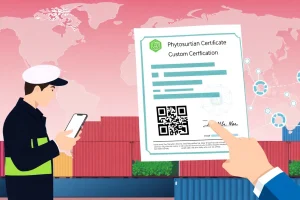
International trade of plants, seeds, and plant products requires a phytosanitary certificate (PC) to verify that the consignment meets the importing country’s plant‑health standards. In the United States, the Integrated Quarantine and Fast‑Track (IQFAST) system is the electronic gateway used by exporters, importers, customs brokers, and freight forwarders to request, track, and receive phytosanitary certificates issued by the National Plant Protection Organization (NPPO). This pillar article provides a comprehensive, step‑by‑step reference for preparing a PC application in IQFAST, highlighting why it matters, the documents you need, common pitfalls, and the regulatory framework that governs the process.
Overview
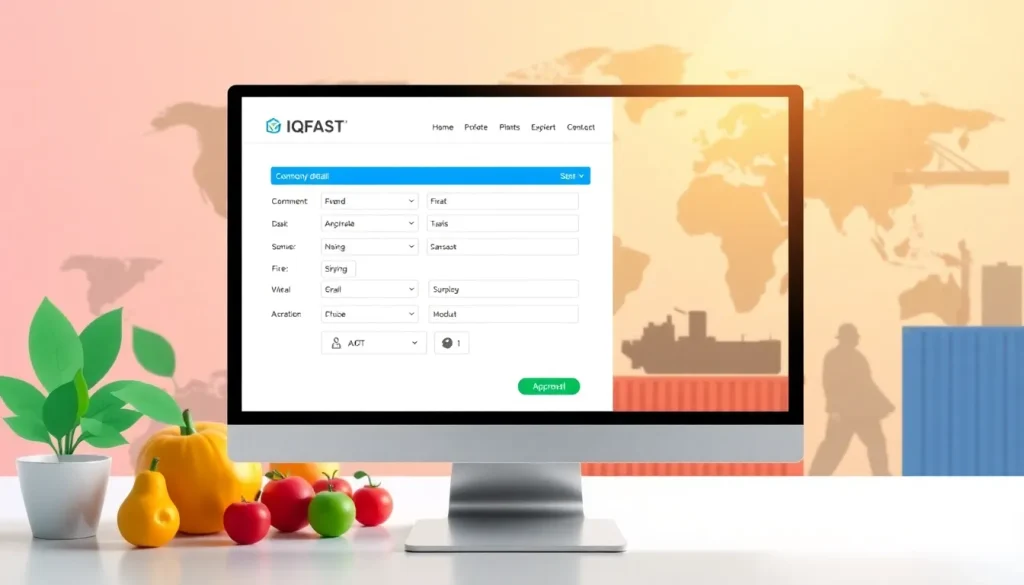
IQFAST is a web‑based platform administered by the Animal and Plant Health Inspection Service (APHIS) of the United States Department of Agriculture (USDA). It replaces legacy paper forms with a streamlined, secure electronic workflow that connects exporters directly to the NPPO’s certification officers. The system supports:
- Creation of a new phytosanitary certificate request
- Attachment of supporting documentation (e.g., inspection reports, treatment certificates)
- Real‑time status tracking and electronic issuance of the final PC
- Automated notifications to customs brokers and freight forwarders
IQFAST complies with the International Plant Protection Convention (IPPC) standards and the United Nations International Trade in Goods (ITG) framework, ensuring that certificates are recognized globally.
Why it matters (real stakes for exporters/importers)

Failure to secure a valid phytosanitary certificate can lead to costly delays, cargo re‑inspection, or outright rejection at the port of entry. The financial and reputational impacts include:
- Lost market access: Importing countries may ban the shipment until a compliant PC is presented.
- Additional fees: Re‑inspection, storage, and demurrage charges accumulate quickly.
- Regulatory penalties: Non‑compliance can trigger fines up to $10,000 per shipment under 7 CFR 340.
- Supply‑chain disruption: Down‑stream manufacturers may miss production schedules, affecting contractual obligations.
Using IQFAST reduces these risks by providing a transparent, auditable trail and by aligning the application with the exact requirements of the destination country.
How it works
The IQFAST workflow consists of four primary phases:
- Pre‑application preparation: Gather commodity details, scientific classification, and any required treatments.
- Electronic submission: Log into IQFAST, complete the online form, and upload supporting documents.
- NPPO review: A certified plant health officer validates the data, may request additional evidence, and either approves or rejects the request.
- Certificate issuance: Upon approval, the PC is generated electronically, signed digitally, and made available for download.
- The certificate can be printed or transmitted directly to the importer’s customs broker.
Each phase is time‑stamped, allowing stakeholders to monitor progress and intervene promptly if discrepancies arise.
Required documents
IQFAST accepts only digital files in PDF, JPEG, or PNG formats. The following documents are typically mandatory:
- Export declaration: USDA Form 3520‑1 (or electronic equivalent).
- Inspection report: Certified by an APHIS inspector, showing pest‑free status.
- Treatment certificate: Evidence of any phytosanitary treatment (e.g., fumigation, heat) required by the importing country.
- Origin and destination permits: If the commodity is regulated under a specific treaty (e.g., CITES).
- Commercial invoice: Detailing quantity, value, and HS code.
All documents must be legible, dated within the validity window defined by the destination country (often 30 days for inspection reports).
Step‑by‑step checklist (How‑to trigger)
- Register for an IQFAST account: Obtain a USDA Business Partner Number (BPN) and set up two‑factor authentication.
- Confirm commodity eligibility: Use the IQFAST “Commodity Lookup” tool to verify that the product is eligible for electronic certification.
- Gather required documentation: Ensure all files meet size (<5 MB) and format specifications.
- Log in and select “Create New PC Request”: Choose the appropriate import/export country from the drop‑down list.
- Enter commodity details: Include scientific name, common name, quantity, weight, and packaging type.
- Upload supporting documents: Attach inspection reports, treatment certificates, and permits.
- Review and certify: Check the “Declaration of Accuracy” box and digitally sign the application.
- Submit for NPPO review: Click “Submit” and note the reference number for tracking.
- Monitor status: Use the “My Requests” dashboard to see “Under Review,” “Approved,” or “Rejected” notifications.
- Download the issued PC: Once approved, download the PDF, print if required, and forward to the importer.
Completing each checklist item reduces the likelihood of a rejection and accelerates cargo release.
Common mistakes & rejection reasons
Even experienced exporters encounter avoidable errors. The most frequent causes of rejection are:
- Incorrect scientific name: Using a synonym instead of the accepted name per International Plant Names Index (IPNI).
- Expired or missing inspection report: Reports older than the destination’s allowed validity period (commonly 30 days).
- Inadequate treatment evidence: Failure to attach a certified fumigation log or heat‑treatment certificate.
- Data entry mismatches: Discrepancies between the quantity entered in IQFAST and the commercial invoice.
- Unsupported file format: Uploading a Word document or a scanned image that exceeds the size limit.
n
To avoid these pitfalls, perform a pre‑submission audit using the IQFAST “Validation” tool, which flags common inconsistencies before the request is sent to the NPPO.
Real‑world example/scenario
Scenario: A U.S. exporter of fresh mangoes (Mangifera indica) intends to ship 10 metric tons to the European Union (EU) via Rotterdam. The EU requires a phytosanitary certificate confirming freedom from Fruit Fly (Ceratitis capitata) and evidence of a post‑harvest cold treatment.
“Importing countries may require a phytosanitary certificate that includes a statement of compliance with the specific treatment prescribed in the importing country’s plant health regulation.” – IPPC ISPM 12, 2023.
Steps taken:
- Exporter’s compliance officer logs into IQFAST and selects “Netherlands” as the destination.
- Commodity entry: “Mangifera indica, fresh mangoes, HS 0804.50, 10 t, packed in ventilated cartons.”
- Upload a USDA‑approved cold‑treatment certificate (held at 1 °C for 14 days) and a recent APHIS inspection report dated 5 days before shipment.
- Submit the application; the NPPO reviewer flags the scientific name as missing the subspecies “indica.” The exporter amends the entry to “Mangifera indica subsp. indica.”
- After correction, the request is approved within 48 hours. The digital PC is downloaded, printed on the exporter’s letterhead, and sent to the freight forwarder.
- At Rotterdam, customs verifies the PC against the EU’s Plant Health Regulation (EU 2019/2072) and releases the cargo without delay.
This example illustrates how a minor data entry error can be caught early in IQFAST, preventing costly re‑inspection at the border.
Requirements & standards (cite primary source: IPPC/NPPO)
IQFAST operates under the umbrella of the International Plant Protection Convention (IPPC) and the United States NPPO (APHIS). The key standards are:
| Standard | Content | Reference |
|---|---|---|
| IPPC ISPM 12 | Requirements for phytosanitary certificates, including format, language, and required statements. | International Plant Protection Convention, 2023. |
| USDA 7 CFR 340 | Domestic regulations governing issuance of phytosanitary certificates and penalties for non‑compliance. | U.S. Code of Federal Regulations, 2022. |
| NPPO‑specific Annexes | Country‑specific pest‑free statements, treatment requirements, and validity periods. | APHIS Plant Health Import/Export Manual, 2024. |
All IQFAST submissions must satisfy the criteria set out in ISPM 12, which mandates that the certificate:
- Be signed by an authorized NPPO official or digitally authenticated.
- State the name and address of the exporter, the consignee, and the place of origin.
- Include a clear declaration of compliance with any required phytosanitary treatment.
- Be produced in the language(s) required by the importing country (often English plus the official language).
Adherence to these standards ensures that the PC is internationally recognized and reduces the probability of border rejection.
Conclusion
Preparing a phytosanitary certificate in IQFAST is a structured, electronic process that, when followed correctly, safeguards trade continuity and compliance with global plant‑health standards. By understanding the system’s workflow, assembling the correct documentation, and avoiding common errors, exporters, importers, customs brokers, and freight forwarders can accelerate clearance, avoid costly penalties, and maintain strong market relationships. Keep this guide handy, perform a pre‑submission validation, and stay current with IPPC and NPPO updates to ensure seamless international trade of plant commodities.
FAQ
How long does it take for IQFAST to issue a phytosanitary certificate?
Typical processing time is 24–72 hours after the complete electronic submission, but it can be longer if the NPPO requests additional information.
Can I submit a phytosanitary certificate request for multiple commodities in one IQFAST application?
Yes, IQFAST allows multiple line items per request, provided each commodity has its own supporting documents and meets the destination’s specific requirements.
What should I do if my application is rejected by the NPPO?
Review the rejection notice in the IQFAST dashboard, correct the identified deficiencies (e.g., missing treatment certificate or incorrect scientific name), and resubmit the amended application.






Leave a Reply