Short Answer
Phytosanitary certificates are the passport that allows plants, seeds, and other regulated commodities to cross international borders. Yet the issuance process is riddled with pitfalls that can delay shipments, increase costs, or even result in rejected consignments. This pillar article identifies the ten most common errors, explains the regulatory backdrop, and offers a clear, actionable roadmap for exporters, importers, customs brokers, freight forwarders, and agriculture students who need fast, accurate answers.
Overview
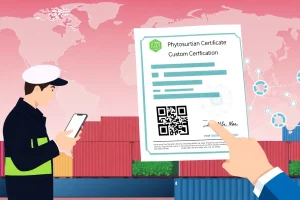
A phytosanitary certificate (PC) is an official document issued by the National Plant Protection Organization (NPPO) of the exporting country, confirming that the consignment complies with the phytosanitary requirements of the importing country. The certificate typically includes:
- Exporter and importer details
- Scientific name of the commodity
- Origin, treatment, and inspection results
- Reference to the relevant International Standards for Phytosanitary Measures (ISPMs)
Errors arise at every stage—from data entry to the final signature—because the process involves multiple stakeholders, tight timelines, and evolving regulations.
Why it Matters
Incorrect or incomplete PCs can have severe commercial and regulatory repercussions:
- Shipment delays: Customs may hold the cargo until a corrected certificate is issued, causing demurrage charges.
- Financial loss: Re‑export, quarantine treatment, or disposal can erode profit margins.
- Reputational risk: Repeated rejections damage relationships with buyers and may trigger stricter inspections in future.
- Legal exposure: Non‑compliance with the WTO SPS Agreement can lead to disputes or penalties.
For small‑scale exporters, a single mistake can jeopardize market entry, while large multinational firms may face cascading supply‑chain disruptions.
Regulatory Authority & Contact
The issuing authority is the NPPO of the exporting country, which operates under the umbrella of the International Plant Protection Convention (IPPC). Key contacts typically include:
| Role | Typical Contact Point | Purpose |
|---|---|---|
| Plant Quarantine Officer | Regional NPPO office | Inspection & certification |
| Certificate Issuer | Central Plant Health Agency | Signature & official seal |
| Technical Support | Hotline / email (e.g., phytosanitary@npop.gov) | Clarifications on standards |
Most NPPOs provide a 24‑hour response window for urgent queries, but response times can vary during peak export seasons.
Required Documents
Before a PC can be issued, the exporter must assemble a complete dossier. The typical checklist includes:
- Commercial invoice and packing list
- Origin declaration (farm, greenhouse, or collection site)
- Inspection report signed by a certified plant quarantine officer
- Evidence of any required treatment (e.g., fumigation certificate, heat‑treatment record)
- Previous phytosanitary certificates for the same commodity (if applicable)
- Importing country’s specific request form (often an electronic template)
Missing any of these items is a frequent source of rejection.
Requirements & Standards
The primary international framework is the IPPC’s International Standards for Phytosanitary Measures (ISPM). For certificate issuance, the most relevant standards are:
- ISPM 1: Glossary of phytosanitary terms – ensures consistent terminology.
- ISPM 12: Guidelines for the issuance of phytosanitary certificates.
- ISPM 15: Standards for wood packaging material, often referenced on PCs.
National regulations may impose additional criteria, such as specific pesticide residue limits or quarantine pest-free area (QPFA) declarations. Exporters should consult both the IPPC standards and the importing country’s NPPO website.
Common Mistakes & Rejection Reasons
Based on customs data from 2022‑2024, the top error categories are:
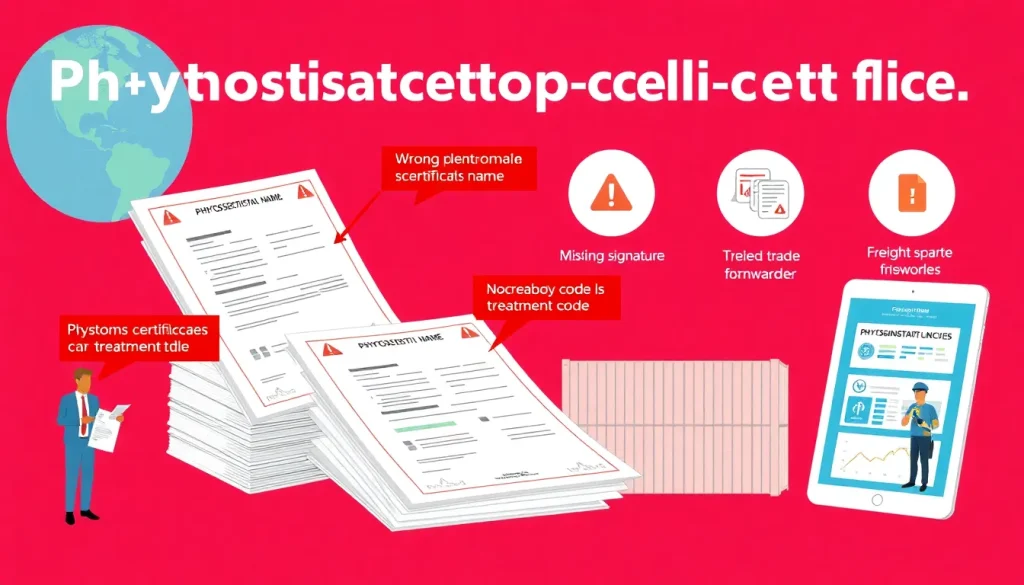
| Error Type | Typical Rejection Reason | Impact |
|---|---|---|
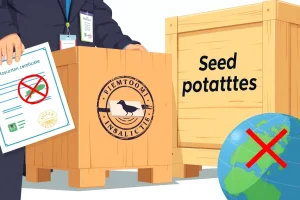
| Incorrect scientific name | Mismatch with commodity description | Immediate refusal |
| Wrong treatment code | Missing or outdated ISPM reference | Delay for re‑treatment |
| Missing exporter ID | Non‑compliance with customs data | Administrative hold |
| Signature errors | Unsigned or illegible signature | Certificate deemed invalid |
| Late submission | Certificate issued after shipment departure | Shipment denied entry |
Other frequent oversights include using outdated forms, failing to update the phytosanitary status after a post‑treatment inspection, and neglecting to attach supporting laboratory test results.
Step‑by‑step Checklist (How‑to Trigger)
Follow this checklist to ensure a clean issuance:
- Pre‑export verification: Confirm the importing country’s latest phytosanitary import requirements (often posted on the NPPO portal).
- Commodity identification: Record the exact scientific name, cultivar, and any relevant accession numbers.
- Treatment documentation: Perform required treatment, retain temperature logs, fumigant dosage sheets, and third‑party lab certificates.
- Inspection scheduling: Book a certified plant quarantine officer at least 48 hours before shipment.
- Document assembly: Compile invoice, packing list, origin declaration, treatment records, and previous PCs.
- Electronic submission: Upload all files to the NPPO’s e‑certification portal; double‑check mandatory fields.
- Review & sign: Verify the printed certificate for accuracy; obtain the authorized signature and seal.
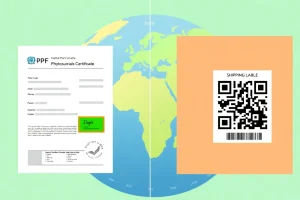
- Final check with freight forwarder: Ensure the PC number matches the shipping manifest and Bill of Lading.
- Post‑issue audit: Keep a digital copy for at least five years; log any deviations for future corrective actions.
Adhering to this flow reduces the probability of a rejection to under 5 % according to a 2023 FAO audit of 2,400 export shipments.
Real‑world Example/Scenario
“A medium‑size avocado exporter from Mexico shipped a container to the EU. The PC listed the scientific name *Persea americana* var. *drymifolia* instead of the correct cultivar *Hass*. EU customs rejected the shipment, incurring €12,000 in storage fees. After correcting the name and re‑issuing the PC, the cargo cleared after a three‑day delay.”
This scenario illustrates two overlapping errors: an inaccurate cultivar designation and the failure to cross‑check the importer’s cultivar list. The corrective actions were simple—consult the EU’s plant health database and amend the PC before re‑submission.
Import/Export Procedure
The end‑to‑end workflow integrates both exporting and importing NPPOs:
- Export side: NPPO issues the PC after confirming compliance with the importing country’s ISPM references.
- Transit: Freight forwarder attaches the PC to the cargo manifest; customs brokers verify the certificate number against the Bill of Lading.
- Import side: Importing NPPO reviews the PC upon arrival; if all data match, the cargo is released.
- Post‑clearance: Importer retains the PC for audit; any discrepancy triggers a phytosanitary investigation.
Effective communication between the two NPPOs—often facilitated by the World Trade Organization’s SPS Committee—helps resolve disputes quickly.
Conclusion
Phytosanitary certificate issuance is a high‑stakes, detail‑driven process. By understanding the most common errors, the regulatory context, and the precise documentation required, exporters and their logistics partners can avoid costly delays and maintain market access. Implement the step‑by‑step checklist, keep abreast of ISPM updates, and maintain open lines with the relevant NPPOs to ensure each shipment crosses borders smoothly.
FAQ
What should I do if the importing country changes its phytosanitary requirements after I have already obtained a certificate?
Contact your NPPO immediately to request a supplemental amendment. Most NPPOs can issue a "certificate addendum" that references the original PC and updates the affected sections without re‑inspecting the entire consignment.
Can I use an electronic phytosanitary certificate instead of a paper copy?
Yes. Many NPPOs now operate e‑certification portals that generate a digitally signed PDF. Ensure the importing country's customs system accepts electronic PCs; otherwise, provide a printed copy with the official seal.
How long does it typically take to obtain a phytosanitary certificate?
Processing times vary by country but generally range from 24 hours for routine shipments to 5 days for commodities requiring extensive laboratory testing or quarantine inspections.




Leave a Reply