Short Answer
Electronic phytosanitary certificates (e‑Phyto) have become the global standard for proving that plant products meet the health requirements of importing nations. Yet, the validation process can differ dramatically from one country to another, creating confusion for exporters, importers, customs brokers, and freight forwarders. This pillar article breaks down the essential steps, regulatory frameworks, and practical tips needed to validate e‑Phyto certificates quickly and accurately across multiple jurisdictions.
Overview
The e‑Phyto system is an online platform managed by the International Plant Protection Convention (IPPC) that allows National Plant Protection Organizations (NPPOs) to issue, transmit, and verify phytosanitary certificates electronically. Unlike paper certificates, e‑Phyto provides a secure, tamper‑evident digital record that can be accessed by authorized parties in real time.
- Key Benefit: Faster clearance at border, reduced paperwork, and lower risk of fraud.
- Core Components: Issuing NPPO, importing NPPO, e‑Phyto portal, and digital signatures.
- Global Reach: Over 150 countries have joined the e‑Phyto network as of 2024 (IPPC, 2024).
Why it Matters (Real Stakes for Exporters/Importers)
Failure to correctly validate an e‑Phyto can lead to costly delays, cargo re‑inspection, or outright rejection. For high‑value commodities such as fresh fruit, nuts, or seedlings, each day of delay can translate into thousands of dollars of lost revenue and potential market loss.
“A rejected phytosanitary certificate can cause a shipment to be quarantined for up to 30 days, increasing handling costs by an estimated 15‑20 %” – World Trade Organization (WTO), 2023.
Moreover, non‑compliance may trigger penalties from the importing country’s customs authority, damage the exporter’s reputation, and affect future trade negotiations.
How it Works
The e‑Phyto workflow consists of four main stages:
- Certificate Issuance: The exporting NPPO creates an electronic certificate in the e‑Phyto portal, attaching inspection data, treatment records, and a digital signature.
- Transmission: The certificate is sent through the secure IPPC network to the importing NPPO and any authorized third parties (e.g., customs brokers).
- Validation: The receiving party accesses the certificate via the e‑Phyto portal, checks the digital signature, and verifies that the commodity, origin, and treatment meet the destination’s import requirements.
- Confirmation: Upon successful validation, the importing NPPO issues a “Certificate of Acceptance” which can be presented to customs for clearance.
All actions are time‑stamped, creating an audit trail that satisfies both IPPC and WTO SPS (Sanitary and Phytosanitary) Agreement requirements.
Regulatory Authority & Contact
Each country designates an NPPO responsible for e‑Phyto issuance and validation. Below is a non‑exhaustive list of key contacts for major trading partners:
| Country | NPPO Agency | e‑Phyto Contact Email | Phone |
|---|---|---|---|
| United States | APHIS – Plant Protection and Quarantine | ephyto-us@aphis.gov | +1‑202‑720‑2900 |
| Canada | CFIA – Plant Health | ephyto.ca@cfia-acia.gc.ca | +1‑613‑773‑2310 |
| European Union (EU) | EU Plant Health Directorate | ephyto-eu@ec.europa.eu | +32‑2‑274‑84‑00 |
| Australia | DAFF – Biosecurity | ephyto.au@daff.gov.au | +61‑2‑6272‑4444 |
| Japan | Plant Protection Station (PPS) | ephyto.jp@maff.go.jp | +81‑3‑3501‑0111 |
When in doubt, consult the IPPC e‑Phyto User Manual (2023) for contact directories and escalation procedures.
Import/Export Procedure
The following generic procedure applies to most bilateral trade relationships. Adjustments may be required for country‑specific phytosanitary regimes.
- Confirm that the destination country accepts e‑Phyto for the commodity (check the NPPO website).
- Arrange a pre‑export inspection by an authorized inspector.
- Provide the inspector with all treatment records, lab test results, and shipment details.
- The exporting NPPO issues the e‑Phyto and forwards it to the importing NPPO.
- Log in to the e‑Phyto portal (or use a broker’s access) to view the certificate.
- Check the digital signature status (valid/invalid).
- Verify commodity code (HS 6‑digit), origin, and treatment codes against the destination’s import list.
- If any discrepancy is found, request a correction from the exporting NPPO before loading the cargo.
- Obtain the importing NPPO’s “Certificate of Acceptance” (COA) and attach the COA reference number to the shipping documents.
- Present the COA and e‑Phyto reference to customs at the port of entry.
Required Documents
Even though the certificate is electronic, supporting documentation must be available in digital or scanned form for customs review.
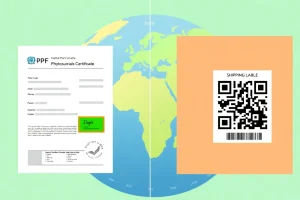
- e‑Phyto reference number and QR code (if provided).
- Pre‑export inspection report (IPPC Form PH 1).
- Treatment certificates (e.g., fumigation, heat treatment) with ISO‑9001‑compliant lab signatures.
- Bill of Lading or Air Waybill.
- Commercial invoice showing HS code and commodity description.
- Any additional permits required by the importing country (e.g., quarantine permit).
All documents should be stored in PDF/A format to ensure long‑term readability.
Common Rejection Reasons at the Border
Understanding typical red flags helps prevent costly rejections.
| Reason | Typical Remedy |
|---|---|
| Invalid digital signature | Request a re‑issue from the exporting NPPO; ensure the correct PKI certificate is used. |
| Commodity code mismatch | Confirm HS code with both exporting and importing NPPOs before shipment. |
| Missing treatment data | Provide complete treatment records, including temperature, duration, and chemical concentration. |
| Non‑compliant origin | Verify that the origin is an approved production area under the destination’s A1/A2 status. |
| Expired certificate | e‑Phyto is only valid for the period stated; request a new certificate if the shipment is delayed. |
Step‑by‑Step Checklist (How‑to Trigger Validation)
Use this checklist before the cargo leaves the export warehouse.
- Confirm e‑Phyto eligibility for the destination country.
- Schedule an authorized pre‑export inspection.
- Gather all treatment and laboratory records.
- Submit inspection data to the exporting NPPO via the e‑Phyto portal.
- Verify that the e‑Phyto contains:
- Correct HS code
- Accurate origin (city, region, country)
- Valid digital signature
- Reference to all required treatments
- Receive the importing NPPO’s Certificate of Acceptance (COA).
- Attach COA reference to commercial invoice and shipping documents.
- Upload all PDFs to the customs broker’s portal for final review.
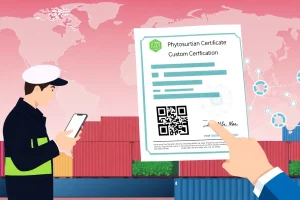
- Present the e‑Phyto QR code at the border; scan to confirm live status.
- Retain a copy of the validation receipt for audit purposes.
Real‑World Example/Scenario
Scenario: An Australian exporter of macadamia nuts ships a container to the United States. The destination requires an e‑Phyto with a heat‑treatment record.
- The exporter contacts the Australian NPPO (DAFF) and schedules a heat‑treatment at an approved facility.
- After treatment, the facility issues a PDF report (ISO‑17025) showing 55 °C for 30 minutes.
- The exporter’s broker uploads the report to the e‑Phyto portal; DAFF issues certificate EP‑AU‑2024‑00123.
- The certificate is automatically transmitted to APHIS (US) and the broker receives a validation receipt.
- APHIS confirms the treatment meets USDA‑APHIS Reg. 7‑101‑1‑A.
- At Los Angeles port, the customs officer scans the QR code; the system shows “Valid – Accepted by US NPPO”.
- The shipment clears without inspection, saving an estimated US $8,500 in handling fees.
This example illustrates how a coordinated e‑Phyto workflow eliminates physical document exchange and reduces clearance time from 48 hours to under 4 hours.
Conclusion
Validating electronic phytosanitary certificates across borders is no longer a niche skill—it is a core competency for anyone involved in international plant‑health trade. By understanding the e‑Phyto architecture, keeping abreast of NPPO requirements, and following a disciplined checklist, exporters and their logistics partners can avoid common pitfalls, accelerate customs clearance, and maintain market access.
| Quick Facts |
|---|
| e‑Phyto network members (2024): >150 countries |
| Typical validation time: 2–4 hours after transmission |
| Digital signature standard: X.509 PKI (IPPC 2023) |
| Average cost saving vs. paper: 12‑18 % |
| Key reference documents: IPPC e‑Phyto Manual (2023), WTO SPS Agreement (1998), NPPO country guides |
FAQ
Can I validate an e‑Phyto without a broker?
Yes. Any authorized user with login credentials can access the e‑Phyto portal, scan the QR code, and view the validation status. However, brokers often manage the coordination between exporting and importing NPPOs, reducing the risk of errors.
What happens if the digital signature is flagged as invalid?
An invalid signature indicates that the certificate was not signed with a recognized NPPO PKI certificate. The exporter must request a re‑issue from the originating NPPO and ensure the correct digital certificate is selected before retransmission.
Do all countries accept e‑Phyto for all commodities?
No. While the majority of major trading partners have adopted e‑Phyto, some countries still require paper certificates for specific high‑risk commodities. Always verify acceptance on the destination NPPO’s website before shipment.





Leave a Reply